
First Watch
First Watch Restaurant Group, Inc.Food & Drink
4.8598.00 Reviews
- Version
- 5.5.0
- Installs
- 500.00K
- Age Rating
- Everyone
Screenshots
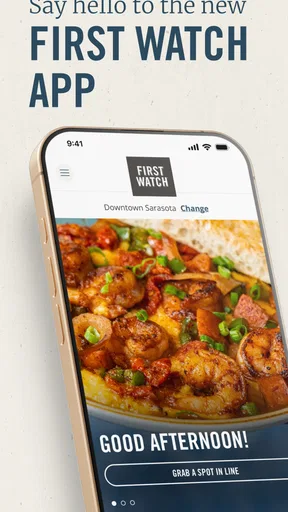
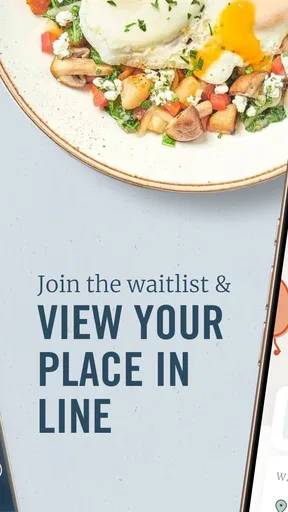
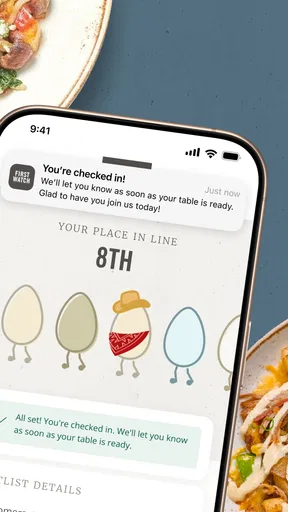
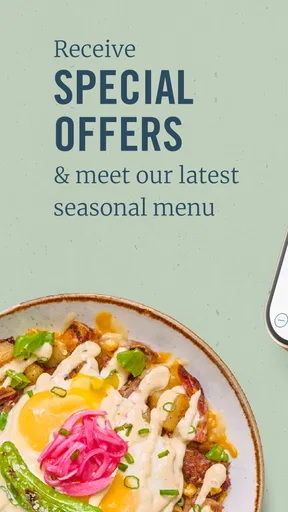
Our Review of First Watch
 Analysis by Appyee
First Watch is the kind of food app I would install for a practical reason rather than out of curiosity: it can make a visit to First Watch easier when I already know where I want to eat. In my experience, its value is concentrated in planning breakfast or brunch with less waiting, repeating a familiar order, and using the restaurant’s app-based conveniences instead of handling everything at the counter.
That focus is important. This is not a general restaurant discovery tool, a recipe app, or a broad delivery marketplace. It is a free Food & Drink app built around First Watch, developed by First Watch Restaurant Group, Inc. The app has earned a 4.8 average from around 3,200 ratings, which suggests that many people find its limited purpose worthwhile. I think that is the right way to judge it: not by how many unrelated features it has, but by whether it removes friction from a First Watch visit.
What using First Watch feels like
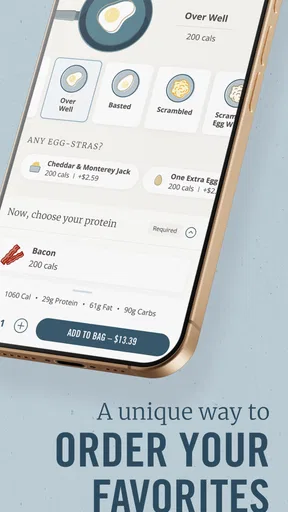
The first thing I noticed is that the app makes more sense when I treat it as a visit-planning tool. If I am hungry and already considering First Watch, the ability to handle an order before arriving can be more useful than browsing a long list of restaurants. The “skip the line” idea is especially appealing during a busy breakfast period, when even a short queue can change the whole pace of the morning.
I also like the possibility of reordering. Breakfast habits are often repetitive: the same coffee, the same meal, or a dependable combination for a workday. Rebuilding that order from scratch every time is unnecessary effort. A reorder option is most helpful when I have already found something I like and want to get it again without searching through the menu or trying to remember every adjustment.
The app is currently at version 5.5.0 and supports devices running at least iOS or Android 7.1, depending on the platform. That gives it a broad compatibility range for people who keep an older phone, although the experience can still depend on the device and operating system. I would keep the app updated where possible, especially for an ordering tool, because small improvements to sign-in, menus, or checkout can matter more here than flashy visual changes.
One useful habit is to open the app before leaving home rather than waiting until I am standing outside the restaurant. That gives me time to check the available choices, select the location, and review the order calmly. It also reduces the chance of making a rushed decision while other customers are waiting behind me. For a weekend brunch, that small change can make the app feel much more valuable than its straightforward interface might suggest.
Where it is strongest in everyday use
The most convincing use case is a predictable morning schedule. Imagine I am heading to work, meeting a friend, or taking a family member to breakfast. I can decide what I want in advance, place the order through the app, and arrive with a clearer idea of what happens next. That is not a dramatic transformation, but it addresses a real annoyance: spending part of a limited morning waiting to place an order.
It can also help when several people are ordering together. One person can take responsibility for entering the group’s choices instead of passing a phone around or trying to remember everyone’s requests at the register. I would still review the complete order before submitting it, particularly when meals have customizations or when different people are paying separately. Convenience is useful only if it does not create a second problem at pickup.
Another less obvious strength is the way a reorder workflow can support routine without forcing me to become a menu expert. The first visit is the time to explore. Later visits can be about speed. If I have a regular breakfast before a recurring appointment or a familiar weekend stop, repeating the order can turn the app into a small time-saving shortcut.
That shortcut is not equally useful for everyone. Someone who visits First Watch only once, enjoys choosing at the restaurant, or frequently changes their meal may gain little from reordering. In those cases, the app is still available as a digital menu and ordering option, but its strongest advantage is reduced.
How it compares with ordinary alternatives
Compared with ordering in person, First Watch is better when the main problem is waiting or deciding under pressure. The restaurant counter gives me an immediate human interaction and may feel simpler for a one-off visit, but it does not offer the same preparation time or repeat-order convenience. For a quick, familiar breakfast, I prefer having the order ready to review before I arrive.
Compared with a general delivery or restaurant marketplace, the First Watch app is narrower but more focused. A marketplace is better when I am undecided about where to eat, comparing several restaurants, or looking for options beyond First Watch. This app is better when the restaurant choice has already been made and I want a direct route to that meal. I would not install it expecting broad restaurant discovery; that is not where its usefulness lies.
There is also a difference between convenience and control. A dedicated restaurant app can keep the ordering experience centered on one brand, which may make repeat visits more direct. A broader service may be more useful for comparing fees, delivery choices, or nearby alternatives, depending on what I need. For dine-in or restaurant pickup, the dedicated approach makes more sense to me. For a night when I want food brought from anywhere nearby, another category of app is probably the better choice.
The friction I would want new users to expect
The biggest limitation is that the app’s usefulness depends on my relationship with First Watch. If there is no convenient restaurant location for me, or if I rarely eat there, the app becomes difficult to justify as a permanent installation. Its focused design is a strength for regular customers, but it also means the benefits do not extend far beyond that restaurant’s ecosystem.
I would also avoid assuming that placing an order automatically makes the whole visit effortless. I still need to choose the correct restaurant, check the order details, and allow enough time for the restaurant to prepare it. A digital order can reduce line time, but it does not remove the need to pay attention to pickup instructions or confirm that I am at the intended location. The best workflow is to use the app as preparation, not as a reason to rush.
Reordering deserves similar caution. It is convenient only when the previous order still matches what I want. A saved or repeated choice can make it easy to overlook a change in appetite, schedule, or group size. I make a point of checking the contents rather than tapping through automatically. That extra moment is worthwhile because speed should not come at the cost of ordering the wrong meal.
People who prefer speaking with staff may also find the app less comfortable. Ordering in person allows questions and immediate clarification, while an app requires me to understand the choices presented on screen. For a straightforward repeat order, that is fine. For a more complicated request, a direct conversation may feel safer and more natural.
Small strategies that make it more useful
I recommend setting up the app when I am not already hungry. That sounds minor, but it changes how carefully I review the order. I can look through the menu, decide whether the app is appropriate for the visit, and avoid treating checkout as a race. This is particularly helpful when ordering for more than one person.
I also use the app selectively rather than automatically. If I am meeting friends and expect to sit down and talk before deciding, ordering at the restaurant may be better. If I am on a tight schedule or repeating a known favorite, the app has a clearer advantage. The best results come from matching the tool to the situation instead of assuming digital ordering is always faster.
For families, I would review the final order aloud before submitting it. This catches the practical mistakes that are easy to make when several people are choosing breakfast at once. For solo visits, I would compare the time saved with the effort of opening the app, selecting a location, and completing the order. The app is most efficient when the order is familiar and the visit is time-sensitive.
Another useful approach is to think of the app as a bridge between deciding and arriving. I can make the choice at home, while commuting, or before leaving an appointment, then use the restaurant visit for pickup or eating rather than starting the process from zero. That is a more realistic benefit than expecting the app to solve every part of the dining experience.
Who should use it, and who should skip it
I would recommend First Watch to regular customers who want a simpler way to plan breakfast or brunch. It is especially suitable for people with repeated orders, busy mornings, or a preference for handling restaurant details before they arrive. The free price makes trying it low-risk, and the Everyone content rating means it is suitable for a broad audience, including families deciding whether it fits their household devices.
The app also makes sense for people who dislike waiting in line but still want to order directly from the restaurant. Its strongest audience is not necessarily technology enthusiasts; it is anyone who has a First Watch routine and wants fewer steps during that routine. The combination of ordering ahead and reordering can be genuinely helpful when used regularly.
I would skip it if I am looking for a broad food directory, restaurant comparisons, or a single app for many dining brands. I would also hesitate if First Watch is an occasional treat rather than a nearby habit. In that situation, the convenience may not offset the need to install and learn another dedicated restaurant app. Someone who enjoys spontaneous menu decisions or prefers personal assistance may likewise be happier ordering in person.
With over 500,000 installs, it has clearly reached a substantial audience, but that figure does not change the basic recommendation: the app is valuable because of fit, not because every diner needs it. I would choose it for repeated First Watch visits, not as a general-purpose food companion.
My final take
After looking at the app as a real part of a breakfast routine, I see it as a focused convenience rather than an essential app for everyone. It does its best work when I already know I want First Watch, have limited time, and would benefit from preparing the order before arriving. Reordering adds a useful second layer for people who return to the same meals.
Its weaknesses are the same qualities that define it. Because it is dedicated to one restaurant group, it cannot replace a broad food marketplace. Because it emphasizes digital ordering, it may not suit people who want to ask questions or decide spontaneously at the counter. And because a submitted order still needs careful review and sensible timing, it should not be treated as a guarantee of a completely frictionless visit.
My recommendation is simple: if First Watch is part of your regular breakfast or brunch rotation, I think this free app is worth trying. Use it before busy visits, check the location and order carefully, and reserve reordering for meals you genuinely want to repeat. If you are only searching for nearby restaurants or prefer choosing face to face, the traditional alternatives will probably serve you better. For its intended audience, though, the real strength is turning a familiar First Watch visit into a more prepared and predictable one.
In short, I would keep it on my phone if I visited the restaurant regularly. It is not ambitious, and that is part of its appeal: the app concentrates on ordering, returning to familiar choices, and making breakfast easier to organize. For a dedicated First Watch customer, that focused approach is more useful than a collection of unrelated extras.
Verdict
Strengths of First Watch
- Live access to local news, weather, and traffic updates
- Clean interface makes browsing stories quick and straightforward
- Video reports add useful context beyond written headlines
- Breaking-news alerts help you stay informed throughout the day
- Coverage is tailored to the selected First Watch station
Limitations of First Watch
- Availability depends on whether your area has a supported station
- Some video content may require a stable, fast internet connection
- Frequent notifications can become distracting if not customized
- Older devices may experience slower loading or playback issues
- Content and features can vary significantly by location
Similar Picks in This Category
View All
Rappi: Food Delivery, Grocery
Rappi, Inc - Delivery3.5

McDonald’s: Cupons e Delivery
Arcos Dorados4.3

Swiggy: Food Instamart Dineout
Swiggy4.7

Blinkit: Groceries & more
Blinkit4.8

foodpanda: food & groceries
Foodpanda GmbH a subsidiary of Delivery Hero SE4.0

Zomato: Food Delivery & Dining
Zomato4.7
Frequently Asked Questions
What is First Watch, and what can I use it for?
First Watch is the official mobile app for the First Watch daytime café and restaurant chain. After installing it, you can browse the menu, view restaurant locations, check opening hours, place an order where mobile ordering is available, and manage certain account or rewards features. The exact options may vary by location, so it is worth confirming that your nearest restaurant supports the services you want before downloading.
Can I order food for pickup through the First Watch app?
In supported locations, the First Watch app lets you explore the menu and place an order for pickup. You can usually select a restaurant, choose available items, customize some dishes, and review the estimated preparation details before submitting the order. Availability, ordering hours, menu items, prices, and pickup options can differ between restaurants, particularly during busy periods or outside regular daytime service hours.
Does First Watch offer rewards or a loyalty program in the app?
The app may provide access to First Watch’s loyalty or rewards features, allowing eligible users to create an account, collect rewards, and receive promotional offers. Program rules can change, and benefits may depend on your country, restaurant location, account status, and purchase method. Before relying on a reward, review its expiration date, redemption conditions, and any exclusions shown in the app.
Is the First Watch app free to download and use?
The First Watch app is generally free to download from the official Android or iOS app store. There is normally no separate charge for installing the application or browsing restaurant information, although you still pay for any food, drinks, delivery, or applicable service fees ordered through it. Mobile data charges may also apply, and some features may require you to sign in or create an account.
What information or permissions does First Watch require?
First Watch may request basic information such as your name, email address, phone number, and payment details when you create an account or place an order. Optional permissions, including location access, can help the app find nearby restaurants, but you can often search manually if you prefer not to share your location. Check the app’s privacy policy and your device settings before granting permissions.
